
LinkedIn secretly injects code to spy on your browser
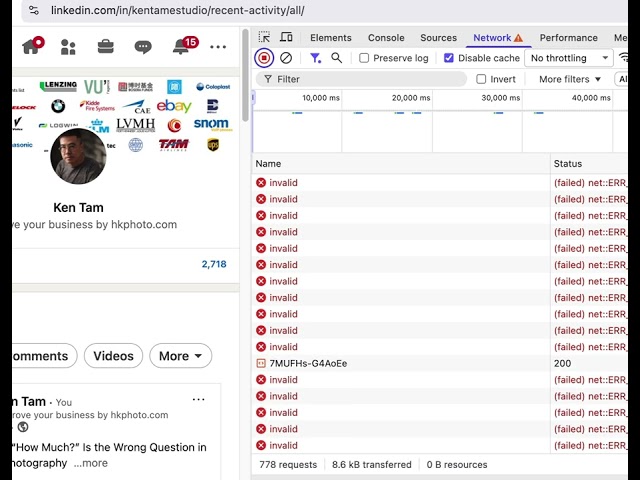
Recent revelations dubbed "BrowserGate" have sparked outrage over LinkedIn's alleged practice of secretly injecting hidden JavaScript code into its website pages. According to an investigation by Fairlinked e.V., every time users visit linkedin.com in a Chromium-based browser like Chrome or Edge, a concealed script silently scans for the presence of over 6,000 specific browser extensions by probing their unique resource identifiers.
This code reportedly compiles the results—along with extensive device fingerprinting data such as CPU details, screen resolution, timezone, and other system characteristics—encrypts it, and transmits everything back to LinkedIn's servers and select third parties, all without explicit user consent or clear disclosure in the platform's privacy policy. While LinkedIn maintains the technique serves security purposes like detecting bots, terms-of-service violators, or abusive scraping tools, critics argue it amounts to invasive corporate surveillance that could profile users based on productivity software, job-search aids, or even extensions hinting at personal beliefs, health conditions, or political views. Independent tests have confirmed the existence of such dynamic scanning scripts, fueling debates about privacy boundaries on the professional networking giant.
Users concerned about this can mitigate risks by using privacy-focused browsers, disabling unnecessary extensions, or employing tools that block fingerprinting techniques.
Links for more details
- https://cybersecuritynews.com/linkedin-code-collects-data/
- https://cybernews.com/privacy/linkedin-surveillance-browsergate/
I've temporarily blocked LinkedIn. If you'd like help with photography, feel free to reach out using the contact form on our website.